Google Gemini on Android lets you edit photos directly using natural language. You can take a photo with your camera and simply tell Gemini what changes you want — no editing skills required.
Here is how to do it.
Step 1: Open Google Gemini
Open the Google Gemini app on your Android phone. If you do not have it yet, download it from the Google Play Store.
Step 2: Tap the + button to attach a photo
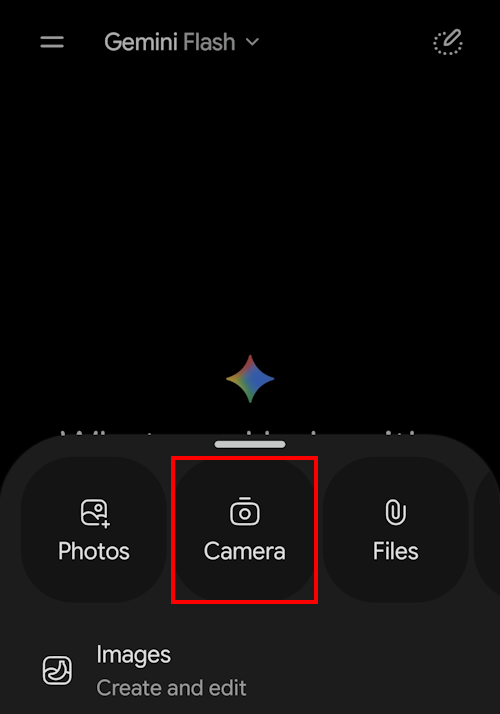
In the Gemini chat screen, tap the + (plus) button next to the message input bar. This opens the attachment menu.

Step 3: Select the camera and take a photo
From the attachment menu, tap Camera.
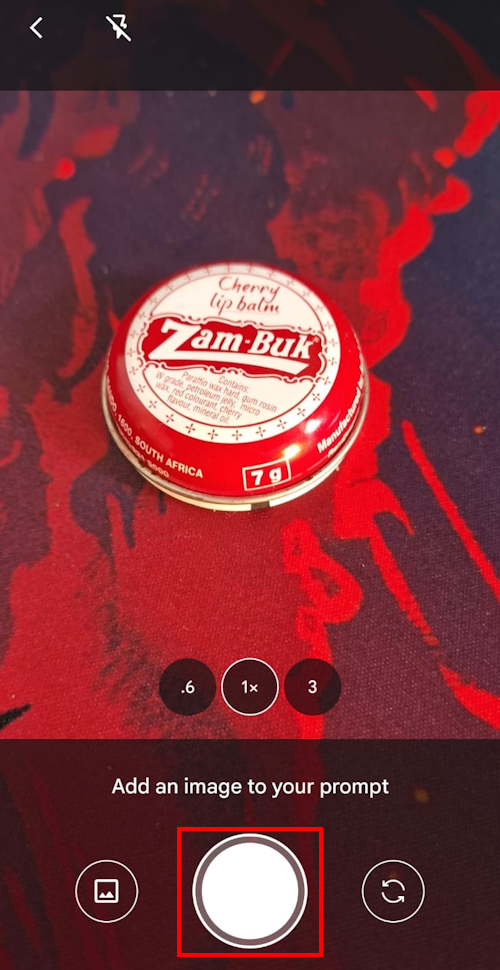
Your phone’s camera will open. Take the photo you want Gemini to edit.
Step 4: Attach the photo to the Gemini prompt
Then confirm it to send the photo through to Gemini.
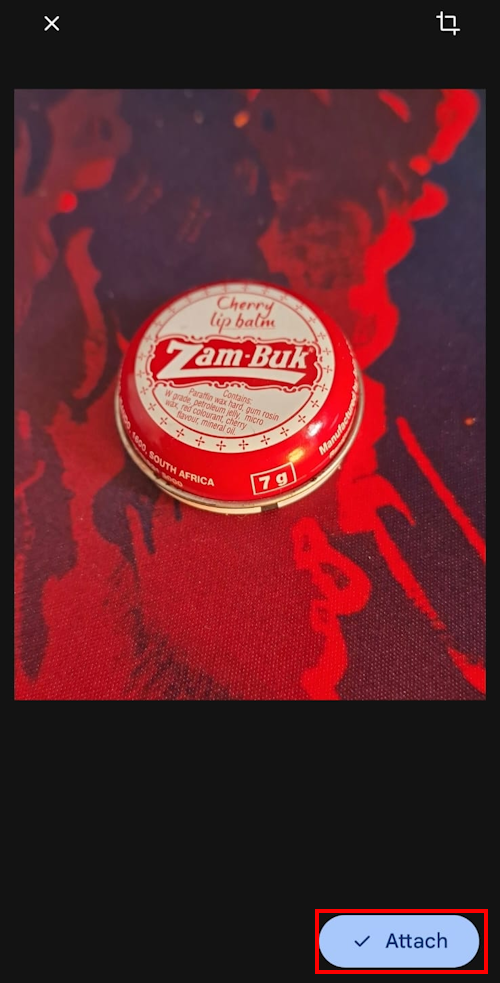
Your photo should now be attached to the Gemini prompt.

Step 5: Add your prompt
In the message box, type your editing instructions — for example, “remove the background”, “change the sky to sunset”, or “make the colours more vibrant”.
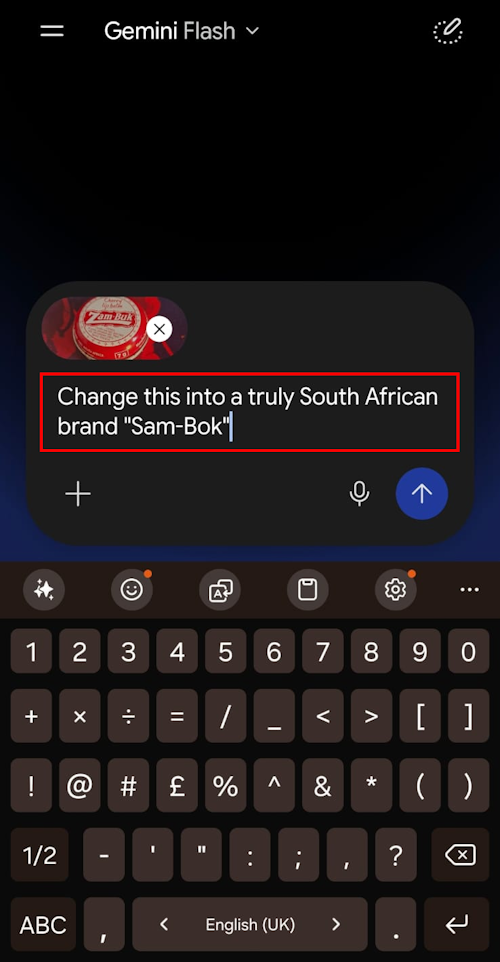
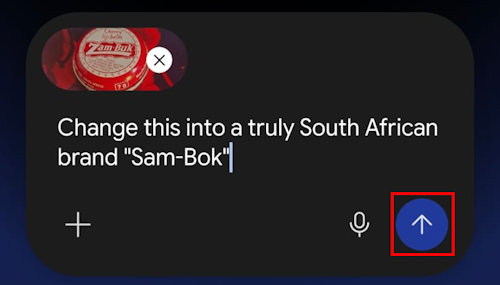
Tap Send and Gemini will process your photo and show you the result.
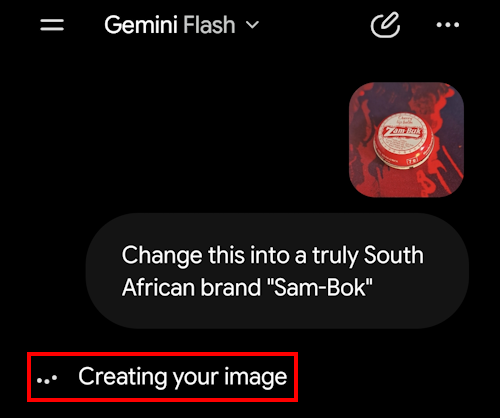
You should now see Gemini editing your photo.
You can follow up with more instructions to refine the edit further.
Within a few seconds you will see the result. To save it to your phone (to keep and/or share) simply touch the generated image.

Now simply touch the Save button to save the image to your phone’s gallery.

Please Review Us
If you appreciate our content and tutorials, please review SOHO Systems on Google Search and Facebook.
References
Google. (n.d.). Gemini — Chat to supercharge your ideas [Gemini]. https://gemini.google.com/
Google. (n.d.). About Gemini image generation [Google Help]. https://support.google.com/gemini/answer/14581311
For more information, please visit the official Google Gemini; or run a search via Bing, DuckDuckGo or Google for “edit photos with Google Gemini”.
📅 July 1, 2026
🔃
🖨️